Voir cette page en Français

log increate an account

How to use a credit for a replacement class


From the second week of a term, the replacement feature is enabled once you have a credit...


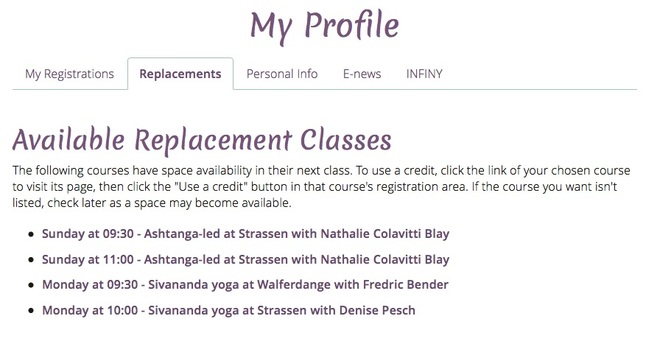
The 'more classes and details' link actually brings you to the 'replacements' tab on your profile page where all available replacement classes are listed within 7 days. 

You can use a credit any time before the end of a term, but you can only reserve a place within 7 days of a class...


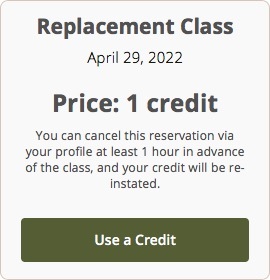
Clicking a link to an 'available replacement class' brings you to that class's course page where you will need to scroll to the bottom...


Confirmation of a replacement class reservation will look like this. You will also receive an email. (You can cancel the replacement class and get the credit back if you cancel at least 24 hours before the class)...


Within 24 hours of the replacement class, you may cancel, but you will lose the credit...


The term registration feature is just above the credit feature. Don't confuse the two! If the credit feature indicates that the class is 'currently full', do not use the 'register for the term' button to reserve a space with a credit. Doing so blocks a space for the whole term. When only 1 term space is still available in a course, we don't allow it to be used for credit usage.


Also see:

How to register online for a course

How to cancel a class online to receive a credit